Working from home has become a common part of everyday life for many. While it offers flexibility, it also presents a challenge: creating a space that both feels comfortable and promotes productivity. A relaxing home office environment can help you focus better, reduce stress, and improve work output. Here are some practical tips to transform your home office into a calming, effective workspace.
Choose the Right Location
Selecting the ideal spot for your home office is the first step. If possible, pick a quiet area away from high-traffic zones in your home. Natural light is a big plus, so consider positioning your desk near a window. Good lighting helps reduce eye strain and can boost your mood.
Invest in Comfortable Furniture
Comfort is key to maintaining concentration for long periods. Begin with an ergonomic chair that supports your back and allows good posture. Pair it with a desk at the right height to avoid strain on your wrists and shoulders.
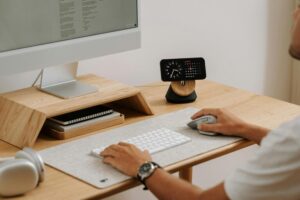
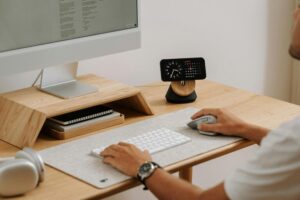
Don’t forget to adjust your screen height so your eyes are level with the top of your monitor. This helps prevent neck pain.
Keep Your Workspace Decluttered
A cluttered desk can lead to a cluttered mind. Keep the essentials within reach but store away items that are not immediately needed. Use organizers, shelves, or drawers to maintain a tidy space.
Regularly cleaning your desk not only creates a more pleasant environment but also helps you stay focused.
Incorporate Soothing Colours and Decor
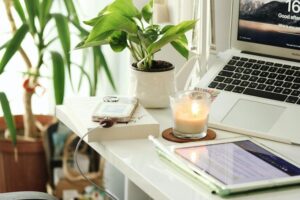
Colours can influence your mood and productivity. Opt for soft, neutral tones like light blues, greens, or beige, which tend to be calming. Personal touches such as plants, artwork, or meaningful photos add warmth and make the space inviting.
Avoid overly bright or distracting decorations that could interfere with concentration.
Control Noise Levels
Noise can be a major disruptor. If your home is noisy, consider soundproofing solutions like thick curtains or rugs that absorb sound. White noise machines or gentle background music can also help mask distracting sounds.
Using noise-cancelling headphones is another effective way to maintain focus.
Maintain Good Air Quality and Temperature
A well-ventilated room with fresh air boosts alertness. Open a window regularly or use an air purifier. Temperature matters, too; aim for a comfortable setting that’s neither too hot nor too cold. Having a small fan or heater nearby can help adjust the temperature quickly.
Establish Work-Life Boundaries
A relaxing home office should also promote a healthy balance between work and personal time. Designate clear areas or times for work only. When your workday ends, shut down your computer and leave your workspace to signal a break.
This boundary helps reduce stress and prevents burnout.
Use Plants to Add Life and Improve Wellbeing
Adding a few low-maintenance plants can make a big difference. They improve air quality and bring a touch of nature indoors, which has been shown to reduce stress levels. Consider easy-care options like pothos, snake plants, or succulents.
Organize Your Digital Workspace
Physical tidiness is important, but so is a clear digital environment. Keep files and folders well organised, and minimise desktop clutter on your computer. A streamlined digital workspace can reduce frustration and save time.
Take Regular Breaks and Move
Even in a relaxing office, sitting for hours without breaks harms productivity and health. Follow the 20-20-20 rule: every 20 minutes, look 20 feet away for 20 seconds. Stand up, stretch, or take a short walk to refresh your mind and body.
Lighting Tips for a Relaxing Ambience
In addition to natural light, choose warm, adjustable lighting options like desk lamps with dimmers. Soft lighting reduces eye strain and creates a cosy atmosphere that keeps stress at bay.
—
Creating a relaxing home office involves combining comfort, organisation, and personal touches. By paying attention to these factors, you create a space that not only feels pleasant but also supports your best work. Experiment with these tips to find what works best for you and enjoy a productive, balanced work-from-home experience.