
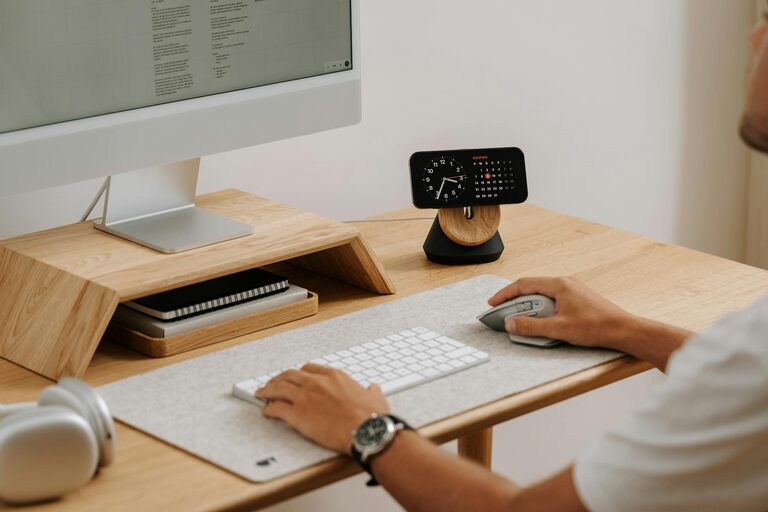
Creating a home office that is both productive and comfortable is essential for anyone working remotely or managing tasks from home. A well-planned workspace supports focus, reduces distractions, and promotes good posture to keep you comfortable throughout the day. In this guide, we’ll explore practical ways to design a home office that works for you.
1. Choose the Right Location
Consider Natural Light and Quietness
Selecting the right spot for your home office is the first step. Ideally, choose a space with plenty of natural light, which can improve mood and energy levels. A quiet area away from household traffic and noise will help maintain concentration.
Space and Privacy
If possible, pick a separate room or corner that offers privacy. This separation helps you mentally switch between “work” and “home” modes, which is important for work-life balance.
2. Invest in Ergonomic Furniture
Choose a Comfortable Chair
A good office chair supports your spine and encourages a healthy sitting posture. Look for adjustable height, lumbar support, and padding that suits your needs.
Desk Height and Size
Your desk should have enough space for your computer, documents, and other essentials. Ensure the desk height allows your arms to rest comfortably at about 90 degrees when typing.
3. Organize Your Workspace Efficiently
Keep Essentials Within Reach
Place frequently used items—like your keyboard, mouse, or notebook—nearby to avoid unnecessary stretching or interruptions.
Use Storage Solutions
Shelves, drawers, and organizers help keep clutter at bay, allowing you to focus on tasks without distraction. Label files and storage boxes for easier access.
4. Optimize Lighting
Mix Natural and Artificial Light
Natural light is ideal, but in darker corners or evening hours, use soft white lamps to reduce eye strain. Position your light sources to avoid glare on screens.
Adjustable Lighting
Consider adjustable desk lamps or smart lighting that lets you tailor brightness to the time of day and your work needs.
5. Minimize Distractions
Declutter Regularly
A clean workspace promotes a clear mind. Set a routine to tidy up your desk daily.
Manage Noise
Use noise-cancelling headphones or white noise machines if background sounds interfere with concentration.
6. Personalize Your Space
Adding personal touches like plants, artwork, or meaningful objects can make your workspace inviting and motivate you throughout the day.
7. Incorporate Technology Wisely
Reliable Internet and Equipment
Ensure your internet connection is stable and that your computer and other devices meet your work requirements.
Cable Management
Use clips, ties, or cable boxes to keep cords organized, reducing clutter and hazards.
8. Take Regular Breaks and Move
Even the best setup can’t replace the benefits of movement. Schedule short breaks to stretch or walk – this helps reduce physical strain and refreshes your mind.
9. Manage Temperature and Air Quality
A comfortable room temperature (around 20-22°C) helps maintain focus. Ventilate the room regularly or use air purifiers to keep air fresh.
Final Thoughts
Designing a home office tailored to your needs takes some planning but pays off in productivity and comfort. By selecting the right location, investing in quality furniture, staying organized, and managing lighting and distractions, you create a space that supports your work and wellbeing.
Remember, your home office is your personal productivity hub. Adjust and improve it as your needs evolve. Happy working!